WhatsApp API in Node.js and TypeScript: Cloud API and the SuperSkope SDK
Use the WhatsApp API from Node.js and TypeScript: send with fetch, verify Meta webhooks in Express, and use the typed SuperSkope SDK with idempotent sends.
Short answer
In Node.js you can call Meta’s official WhatsApp Cloud API with the built-in fetch and verify its webhooks in Express using the raw body and your app secret. No SDK is required.
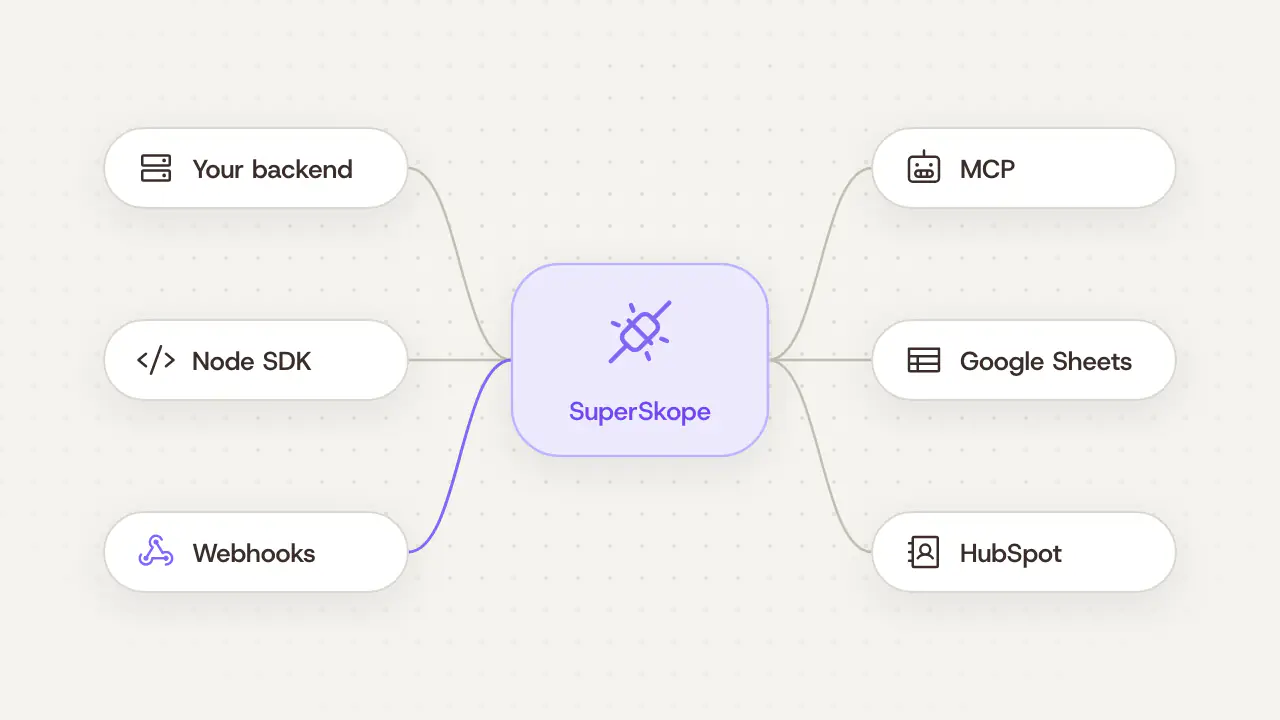
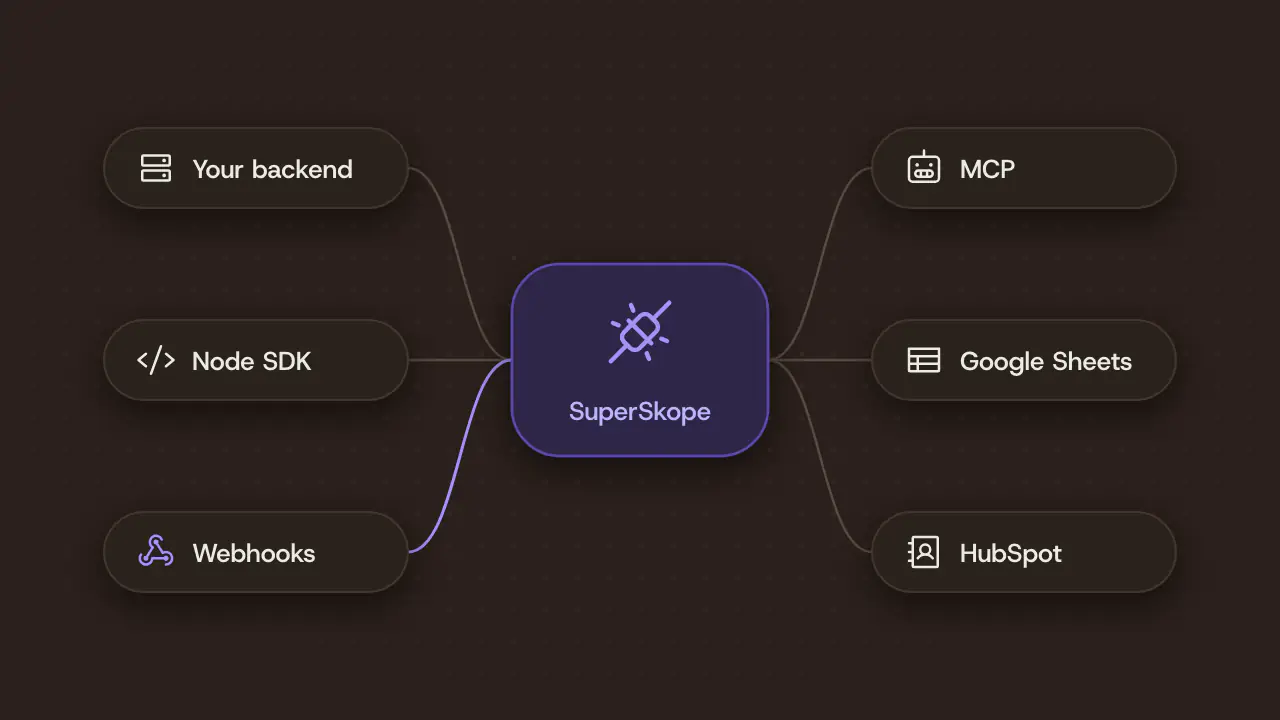
For a regular WhatsApp number and its existing groups, SuperSkope’s typed server SDK (Node.js 24+) wraps its customer API with idempotent sends and a webhook verifier. SuperSkope is a linked-device service, not Meta’s platform.
Two ways to call WhatsApp from Node.js
Node.js 18 and later ship fetch, so calling Meta’s official WhatsApp Cloud API needs no dependency at all. If you work on a regular WhatsApp number and its existing groups instead, the SuperSkope server SDK gives you typed methods for the SuperSkope customer API. Each example below says which API it calls.
SuperSkope connects your existing number as a WhatsApp linked device, the same way WhatsApp Web works. It is not the official WhatsApp Business Platform and is not affiliated with WhatsApp or Meta.
Send a message with fetch (official Cloud API)
A template message works at any time; a free-form text needs an open 24-hour customer service window. The response contains a wamid that you should store before relying on status webhooks.
// Official WhatsApp Cloud API (Meta), Node.js 18+
const res = await fetch('https://graph.facebook.com/v27.0/' + process.env.PHONE_NUMBER_ID + '/messages', {
  method: 'POST',
  headers: {
    Authorization: 'Bearer ' + process.env.WHATSAPP_TOKEN,
    'Content-Type': 'application/json',
  },
  body: JSON.stringify({
    messaging_product: 'whatsapp',
    to: '+910000000099',
    type: 'template',
    template: { name: 'hello_world', language: { code: 'en_US' } },
  }),
});
if (!res.ok) throw new Error('WhatsApp error ' + res.status + ': ' + (await res.text()));
const { messages } = await res.json();
console.log('Accepted as', messages[0].id);
Copy-only example. This page never runs a request or asks for a credential.
Verify Meta webhooks in Express (official Cloud API)
Meta signs each webhook with HMAC-SHA256 of the raw body using your app secret. Express’s JSON parser changes the bytes, so read the raw body for this route, compare in constant time, then parse. Answer 200 quickly and process asynchronously; Meta retries failed deliveries for up to seven days, so duplicates will arrive.
// Official WhatsApp Cloud API (Meta) webhook receiver
import express from 'express';
import crypto from 'node:crypto';

const app = express();

app.get('/webhook', (req, res) => {
  const valid = req.query['hub.mode'] === 'subscribe' && req.query['hub.verify_token'] === process.env.VERIFY_TOKEN;
  if (valid) return res.status(200).send(req.query['hub.challenge']);
  res.sendStatus(403);
});

app.post('/webhook', express.raw({ type: 'application/json' }), async (req, res) => {
  const expected = Buffer.from('sha256=' + crypto.createHmac('sha256', process.env.APP_SECRET).update(req.body).digest('hex'));
  const given = Buffer.from(req.get('X-Hub-Signature-256') || '');
  if (given.length !== expected.length || !crypto.timingSafeEqual(given, expected)) return res.sendStatus(401);
  const payload = JSON.parse(req.body.toString('utf8'));
  await saveForProcessing(payload); // your durable queue; deduplicate by message ID there
  res.sendStatus(200);
});

app.listen(3000);
Copy-only example. This page never runs a request or asks for a credential.
Install the SuperSkope SDK
The SuperSkope server SDK is a dependency-free ESM package for Node.js 24 and later, with TypeScript declarations. It is not published to npm: we share the reviewed package archive with your workspace, and you install the exact file. The origin is the host only; the SDK adds /api/v1 itself. HTTPS is required.
// npm install /absolute/path/superskope-sdk-0.1.0.tgz
import { SuperSkope, SuperSkopeError } from '@superskope/sdk';

const client = new SuperSkope({
  origin: 'https://api.superskope.com',
  apiKey: process.env.SUPERSKOPE_API_KEY,
});

const status = await client.status();
console.log(status.connected, status.sendingEnabled);
const { chats } = await client.chats({ limit: 20 });
for (const chat of chats) console.log(chat.id, chat.kind, chat.name);
Copy-only example. This page never runs a request or asks for a credential.
Send, reply and check outcomes with the SDK
Every write takes an idempotency key that you persist with the business event before calling. SendResult.state is “sent” when WhatsApp accepted the message and “unknown” when the outcome is not confirmed. The SDK never retries a write. On unknown, read the request state with the same key and inspect the chat before deciding anything.
import type { SendResult } from '@superskope/sdk';

const key = 'invoice-2026-11-27-customer-17';
let result: SendResult;
try {
  result = await client.sendText(chatId, 'Your invoice for November is ready.', { idempotencyKey: key });
} catch (error) {
  if (error instanceof SuperSkopeError && error.uncertain) {
    console.log(await client.requestState(key)); // inspect; do not send again
  }
  throw error;
}

// Reply to a specific message in a group, mentioning a current member.
// memberId is the member's exact ID from client.group(groupId); the text carries the matching @number.
await client.replyText(groupId, messageId, '@910000000099 the van leaves at 4pm.', {
  idempotencyKey: 'van-update-' + messageId,
  mentions: [memberId],
});

// First message to a customer who asked to be contacted (needs chats:create and messages:write).
const started = await client.startChat('+910000000099', 'Hi, this is the support team about booking 7731.', {
  idempotencyKey: 'callback-7731',
});
Copy-only example. This page never runs a request or asks for a credential.
Receive SuperSkope events in Node.js
You can pull events with a cursor or receive a signed webhook. The SDK’s verifier checks the X-SuperSkope-Timestamp and X-SuperSkope-Signature headers against the raw body, rejects timestamps outside five minutes, and returns the event or null. Webhook events carry metadata only, such as message IDs, so fetch content with the scoped message API.
import express from 'express';
import { verifySuperSkopeWebhook } from '@superskope/sdk/webhooks';

const app = express();
app.post('/superskope-events', express.raw({ type: 'application/json' }), async (req, res) => {
  const event = verifySuperSkopeWebhook(req.body, req.headers, process.env.SUPERSKOPE_WEBHOOK_SECRET);
  if (!event) return res.sendStatus(401);
  await saveIfNew(event.id, event); // durable dedupe before acknowledging
  res.sendStatus(200);
});

// Or pull: start at the present, then follow nextCursor.
let { nextCursor } = await client.events();
const page = await client.events(nextCursor);
for (const event of page.events) {
  if (event.type === 'message.received') {
    const { message } = await client.message(event.chatId, event.data.messageId);
    console.log(message.senderName, message.text);
  }
}
nextCursor = page.nextCursor; // persist it
Copy-only example. This page never runs a request or asks for a credential.
What the SDK covers
Every call is still checked by the API against the key’s number, conversations and permissions. TypeScript types describe responses; they do not grant access.
| Area | Methods |
|---|---|
| Status and conversations | status, capabilities, chats, messages, message, access, chatAction, automation, setPaused |
| Messages | sendText, replyText, sendAttachment, react, messageAction, downloadMedia, requestState |
| New chats and contacts | startChat, checkNumber, contacts, contact, saveContact |
| Groups | groups, group, createGroup, groupAction, leaveGroup, groupInvite, resetGroupInvite, groupJoinRequests, decideGroupJoinRequests, setGroupApproval |
| Schedules | schedules, schedule, createSchedule, updateSchedule, setScheduleEnabled, skipSchedule, removeSchedule |
| Work | workItems, workItem, saveWork, removeWork, chatWork, updateChatWork, library, reports |
| Agents | createAgent, updateAgent, setAgentChat, agents, agent, agentAccess, agentEvents, agentEvent, presence |
| Events and diagnostics | events, logs, history, groupHistory |
Which should a Node.js team choose?
Choose the Cloud API when your product sends notifications, OTPs or campaigns to customers who opted in, or when you need Meta’s verified profile, templates and analytics. You will write the inbox and routing yourself, or adopt a provider, and pay per delivered message. The code above is most of what a first integration needs: a send function, a signed webhook route and a durable queue.
Choose SuperSkope when the work already happens in WhatsApp groups and chats on a regular number, and you want your Node.js service or AI agent to read and act in selected conversations. The SDK gives typed methods for messages, groups, schedules and work items, and the API enforces per-conversation permissions on every call. Keep it to replies and operations; it is not authorised by WhatsApp and is not built for volume or marketing.
Many teams run both: the Cloud API on a notifications number and SuperSkope on an operations number, each with its own webhook route and secret.
Tips for Node.js WhatsApp integrations
- Keep tokens and keys in environment variables or a secret manager, never in front-end bundles.
- Use one raw-body route per webhook provider; do not let a global JSON parser touch signed bodies.
- Persist idempotency keys and cursors in your database, not in memory.
- Expect events out of order and more than once.
- Rate-limit your own sends: Meta allows one message every six seconds to the same user, and a SuperSkope key allows 10 writes a minute by default.
Frequently asked questions
Is there an official WhatsApp SDK for Node.js?
You do not need one for the Cloud API: it is HTTPS and JSON, and Node.js includes fetch. Several community packages exist; check whether they wrap Meta’s Cloud API or automate WhatsApp Web, which is unofficial. The SuperSkope SDK wraps SuperSkope’s own API only.
Is the SuperSkope SDK on npm?
No. It is a private package: we share the reviewed archive with your workspace and you install that exact file with npm. It has no dependencies and no install-time network activity. The app’s integrations page also offers a standalone JavaScript download built from the same source.
Can I use whatsapp-web.js or Baileys instead?
They are open-source libraries that connect a WhatsApp account as a linked device. They are free and powerful, but unofficial: WhatsApp’s terms prohibit unauthorised clients and automated bulk messaging, and you maintain the session and protocol changes yourself.
Does the SDK retry failed requests?
No. It performs no automatic retries of reads or writes. That is deliberate: a write that timed out may already have reached WhatsApp. Check requestState with the original key, then decide.